
Door compatibility
Door thickness, material, frame condition, latch alignment, backset and existing cut-out decide whether a smart lock can be installed cleanly. A good lock on a misaligned door will still feel unreliable.
Smart Locks
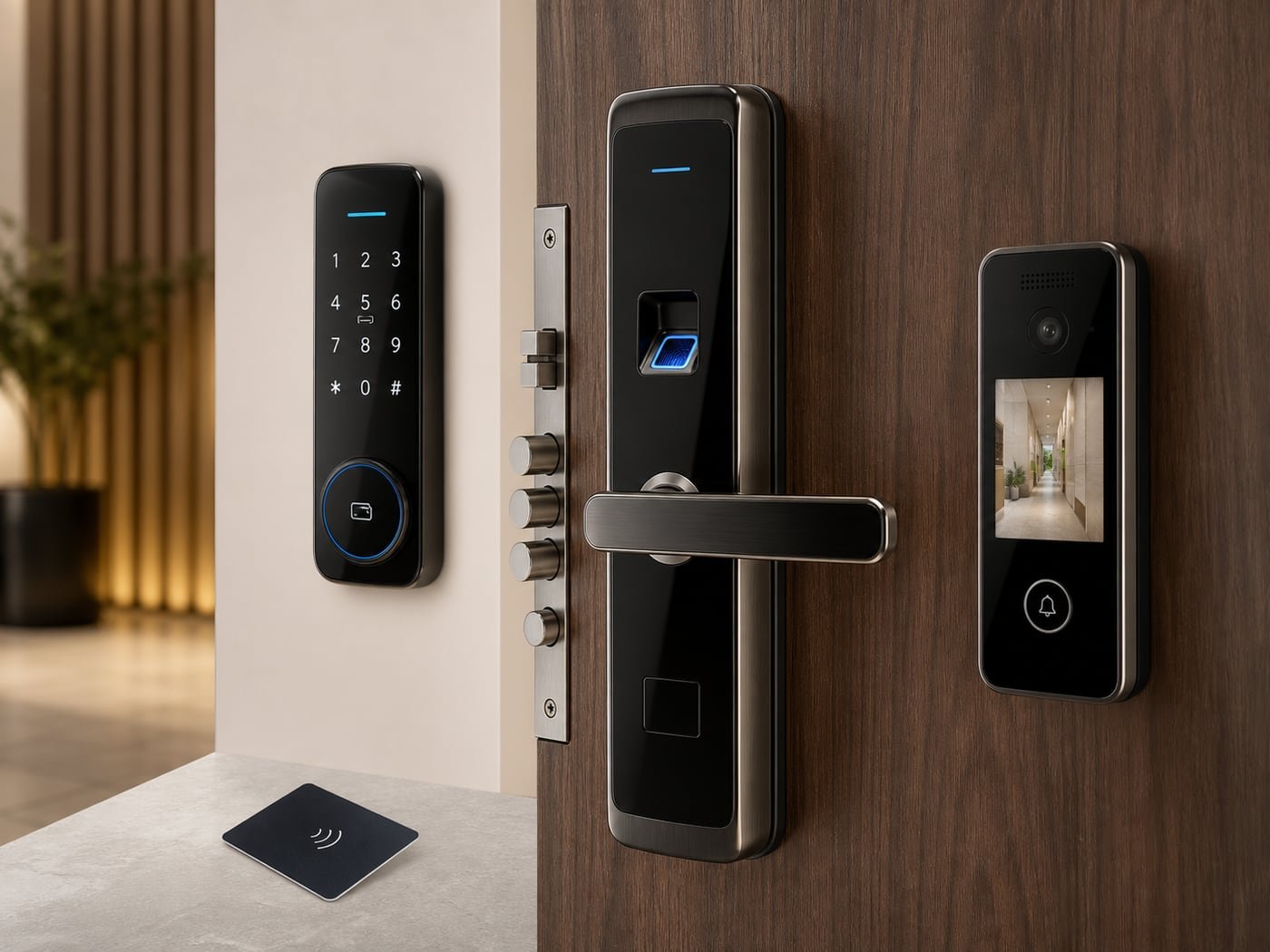
A smart lock should be selected by door fitment, daily users, credential policy, emergency access and long-term service support. We help homes, villas, offices, PGs, serviced apartments and hospitality spaces choose locks by mortise type, door thickness, handle direction, access method, audit requirement, battery behaviour and mechanical override.
We evaluate mortise type, door thickness, latch throw, credential mix and emergency override before recommending any lock. The goal is not only a premium-looking device, but a lock that remains serviceable for family, staff and guest use over years.
Start here
A smart lock is both a security product and a mechanical door product. It must fit the door correctly, latch smoothly, give the right people the right access, and still work during low battery or emergency situations. The best lock is not simply the one with the most features; it is the one that matches the door, user flow and service expectations.
Door thickness, material, frame condition, latch alignment, backset and existing cut-out decide whether a smart lock can be installed cleanly. A good lock on a misaligned door will still feel unreliable.
Smart locks can use fingerprint, PIN, RFID card, mobile app, Bluetooth, Wi-Fi, temporary passcode or mechanical key. The right mix depends on who enters and how often access changes.
Owner, family, staff, tenant, guest and manager access should be planned separately. This avoids shared PIN habits and makes access easier to add, remove or audit.
Low-battery warning, USB emergency power, mechanical override and clear lockout handling are essential. Convenience should never remove practical fallback options.
A family home, office cabin, PG room, serviced apartment and hotel room all need different access control behaviour. The lock body, credential method and admin workflow should follow that usage.
Best for homes and villas where family members need fingerprint/PIN/app access and occasional guests or staff may need limited access.
Best where cabins, stores, server rooms or admin rooms need controlled access, logs, staff change handling and stronger credential discipline.
Best for hotels, PGs and serviced apartments where cards, temporary codes, room turnover and admin control must be easy to operate at scale.
Go deeper
Once door fitment is clear, these are the concepts that help a buyer compare smart locks wisely instead of choosing only by fingerprint, app or premium appearance.
The owner/admin account should control user creation, deletion and reset. Staff, guests and temporary users should not share the master credential.
Temporary PINs, app invitations or RFID cards should be easy to revoke when guests leave, staff changes or a rental booking ends.
Good PIN practice, anti-peep input and periodic credential review reduce the risk of access being guessed, watched or casually shared.
A smart lock should still have a clear emergency process. Mechanical override, emergency power and known support path matter during battery or electronics issues.
Fingerprint recognition should be fast and consistent for daily users. Wet fingers, elderly users, children and heavy-use doors should be considered before choosing only biometric access.
Battery life depends on usage, motor load, Wi-Fi/app behaviour, door alignment and battery quality. A tight or misaligned latch can drain batteries faster.
Bluetooth locks work near the door, Wi-Fi locks can support remote functions, and gateway-based locks depend on stable network and power. Choose based on real need.
Daily reliability depends on local service, spare parts, lock body quality, firmware/app support and a clean handover of admin credentials.
Meaning: The lock body fitted inside the door edge.
Why it matters: Mortise size, latch throw and backset must match the door; otherwise installation becomes weak or untidy.
Meaning: Distance from the door edge to the centre of the handle/lock cylinder.
Why it matters: Wrong backset can make the lock incompatible with the existing door cut-out.
Meaning: A feature allowing random digits before/after the real PIN.
Why it matters: It helps prevent someone nearby from learning the exact access code by watching.
Meaning: A mode that keeps the lock temporarily unlocked for free movement.
Why it matters: Useful during events, office hours or moving work, but it must be used deliberately.
Meaning: A record of lock opening events and user activity.
Why it matters: Important for offices, rentals and managed rooms where access accountability matters.
Meaning: External power input, often USB, used when internal batteries are drained.
Why it matters: It prevents a dead battery from becoming a lockout emergency.
Smart-lock datasheets are useful only when matched with the actual door. Mortise size, door thickness, handle direction, credential type and override method matter as much as app features.
A practical technical view of what sits behind this product category and what we check before recommending a model.
Modern locks combine biometric templates, PIN policies, RFID card sectors and temporary mobile keys. We plan admin access, staff access and guest access separately so the lock does not become a shared-password problem.
Door alignment, latch depth, spindle strength and override key quality matter as much as electronics. A premium lock on a misaligned door will still fail in daily use.
Use this as a practical buying map before shortlisting products or asking for a quotation.
View smart lock productsFor homes and villas where family access, staff PINs and mechanical fallback must be simple and reliable.
For users who want door access with visitor visibility, camera/screen features or stronger entry awareness at the door.
For cabins, stores, admin rooms and sensitive areas where user removal, logs and credential control matter.
For PGs, serviced apartments and hospitality rooms where frequent guest turnover and card/code management are important.
Share door photos, door thickness, existing lock type, handle direction, user count, guest/staff access needs and whether app, fingerprint, PIN, RFID or hotel-card control is required. We will help convert this into a practical smart-lock selection and installation plan.
Buying notes
Door thickness, frame condition, backset and latch alignment must be checked before model selection.
Credential policy should be decided early: owner, family, staff, guests, tenants or hotel cards.
Mechanical override, emergency power and low-battery warning are important for daily reliability.
App-based locks need clarity on Bluetooth/Wi-Fi access, admin transfer and mobile-device dependency.
Local service support matters because smart locks combine electronics with mechanical door fitment.
Installation
These are common ways customers ask us to package this category.
Visitor video calling, gate communication, indoor monitors, mobile-app VDP and lock-release systems for flats, villas and reception entries.
Learn moreCCTV cameras, NVR/DVR recorders, storage and remote viewing products planned around real coverage goals.
Learn moreInteractive flat panels, classroom displays, meeting-room screens, floor standees and digital signage for learning, meetings and brand visibility.
Learn more