
Camera selection
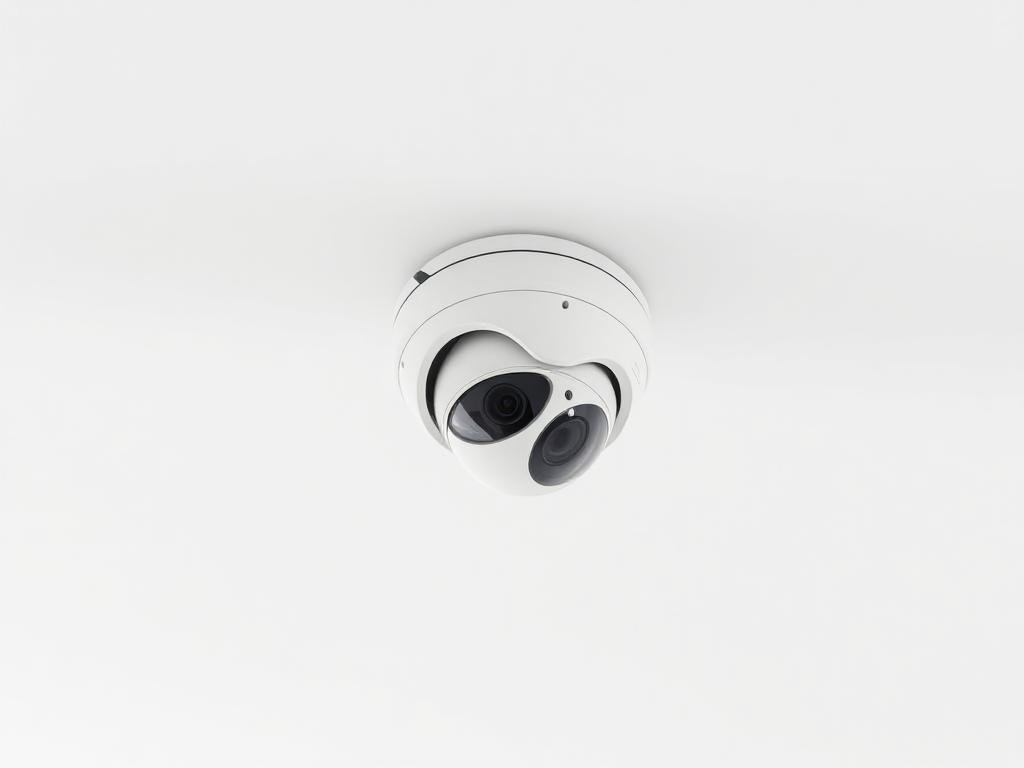
Camera type should follow the scene: dome for indoor ceilings, bullet/turret for visible deterrence, varifocal for precise framing, PTZ for active monitoring and outdoor-rated models for exposed areas.
Surveillance (CCTV)
A surveillance system should be selected by purpose: deterrence, live monitoring, identification, incident review and evidence retention. We help homes, shops, offices, schools and warehouses choose CCTV products by scene, lens, resolution, night performance, recorder capacity, storage days and remote-viewing security.
Surveillance products are engineered around identification, retention and remote review, not camera count alone. We size lens angle, resolution, night performance, recorder channels, HDD capacity and remote-viewing needs as one system.
Start here
A CCTV system is not a camera-count purchase. It is a visibility plan: what must be seen, from which angle, in what light, for how many days, and how quickly footage can be found when something happens. When cameras, lenses, recorder, storage, lighting and remote viewing are selected together, surveillance becomes useful evidence instead of just a wall of screens.
Camera type should follow the scene: dome for indoor ceilings, bullet/turret for visible deterrence, varifocal for precise framing, PTZ for active monitoring and outdoor-rated models for exposed areas.
The NVR or DVR receives video, records footage and manages playback. Channel count, supported resolution, HDD bays, codec support and app ecosystem decide how well the system can grow.
Recording days depend on camera count, resolution, frame rate, compression, motion schedule and hard-disk size. A good design estimates retention before procurement.
Mobile viewing should be convenient but controlled. Strong passwords, separate users, updated apps and careful sharing prevent the CCTV system from becoming a privacy or security risk.
The right CCTV architecture depends on cabling condition, required resolution, expansion plans and how important remote monitoring or centralised recording is for the site.
Uses network cameras and an NVR. Best when higher resolution, PoE cabling, future expansion, analytics and central monitoring are important.
Uses coaxial cabling with a DVR. Useful where existing coax is healthy and the goal is a cost-effective upgrade without full network rewiring.
Combines existing analog cameras with selected IP cameras. This helps upgrade critical areas first while preserving usable legacy infrastructure.
Go deeper
Once coverage goals are clear, these are the concepts that help a buyer compare cameras, recorders and storage wisely instead of choosing only by megapixel count.
Owner, manager and installer access should not use one shared password forever. Separate users make handover cleaner and access easier to revoke.
Remote viewing should use updated vendor apps, strong credentials and controlled device sharing. Avoid leaving default accounts active after installation.
Cameras should cover entries, counters, stock, parking and common areas while avoiding unnecessary private spaces. Good security also respects privacy.
Important footage should be exportable quickly with date/time search, watermark or player support where required. Evidence is useful only if it can be found and shared.
Higher resolution gives more detail but uses more storage and bandwidth. Use 2MP, 4MP, 5MP or 8MP according to scene size and identification need.
Higher frame rate gives smoother video but increases storage. Motion-based schedules can improve retention, but critical areas may need continuous recording.
Modern compression reduces storage use, but compatibility with recorder, playback software and mobile app must be checked before relying on codec claims.
Surveillance HDDs are designed for continuous recording. Storage should be calculated from camera count, bitrate, retention days and recording schedule.
Meaning: Detect, Observe, Recognise and Identify; a way to judge usable detail at distance.
Why it matters: A camera that detects movement may still fail to identify a face or number plate. DORI helps set realistic expectations.
Meaning: Wide Dynamic Range; helps balance bright and dark areas in one scene.
Why it matters: Entrances often have strong backlight. WDR can decide whether faces are visible or washed out.
Meaning: Infrared illumination distance for night viewing.
Why it matters: IR range is affected by mounting height, reflection, scene width and nearby walls, not just the number printed on the box.
Meaning: A lens with adjustable focal length for tighter or wider framing.
Why it matters: Useful when a gate, cash counter or corridor needs precise framing after site inspection.
Meaning: Pan, tilt and zoom camera for operator-controlled movement.
Why it matters: PTZ is powerful for active monitoring, but fixed cameras are still needed for continuous evidence of critical views.
Meaning: How many days footage remains before being overwritten.
Why it matters: Many incidents are discovered late. Retention must match business risk, not just the default hard disk size.
Camera datasheets can be confusing. Resolution, lens, WDR, IR range and codec numbers matter only when matched to the real scene and evidence requirement.
A practical technical view of what sits behind this product category and what we check before recommending a model.
2MP, 4MP and 8MP cameras solve different jobs. Entry gates need identification-grade angles; open areas need coverage-grade views; cash counters need close framing.
Retention depends on resolution, frame rate, codec, motion profile and HDD size. We estimate storage so footage is available when an incident is discovered days later.
Use this as a practical buying map before shortlisting products or asking for a quotation.
View surveillance productsFor entries, counters, corridors, parking areas, warehouses and perimeter zones where camera body, lens and night performance must match the scene.
For reliable recording, search and playback with the right number of channels, supported resolution, HDD capacity and expansion headroom.
For gates, yards, parking, long corridors and active monitoring where zoom, movement or special lens selection matters.
For cleaner installation, better durability and fewer service issues after handover.
Share the site type, entry points, counters, parking areas, blind spots, lighting condition, required recording days and remote-viewing needs. We will help convert this into a practical surveillance product and installation plan.
Buying notes
Entry points need identification-grade angles, not only wide coverage.
Recording days depend on camera count, resolution, motion and hard-disk size.
Night visibility depends on illumination, sensor quality, IR distance and placement, not only megapixels.
Remote viewing should use secure credentials, updated apps and controlled sharing.
Recorder channels, storage bays and camera resolution should leave room for future expansion.
Installation
These are common ways customers ask us to package this category.
Fingerprint, PIN, RFID, app-controlled and hotel smart locks selected by door type, access flow and serviceability.
Learn moreVisitor video calling, gate communication, indoor monitors, mobile-app VDP and lock-release systems for flats, villas and reception entries.
Learn moreInteractive flat panels, classroom displays, meeting-room screens, floor standees and digital signage for learning, meetings and brand visibility.
Learn more