
All services

Networking

Networking Solutions

Requirement-led networks, campus Wi-Fi and server rooms engineered for uptime.

A reliable network is not just switches and cable. It is requirement capture, physical site verification, network diagrams, server-room readiness, labelled racks, Wi-Fi coverage planning, firewall policy, VLAN structure and documentation your IT team can actually use later.

Networking Solutions

What's included

  • Cat6 / Cat6A / fibre structured cabling
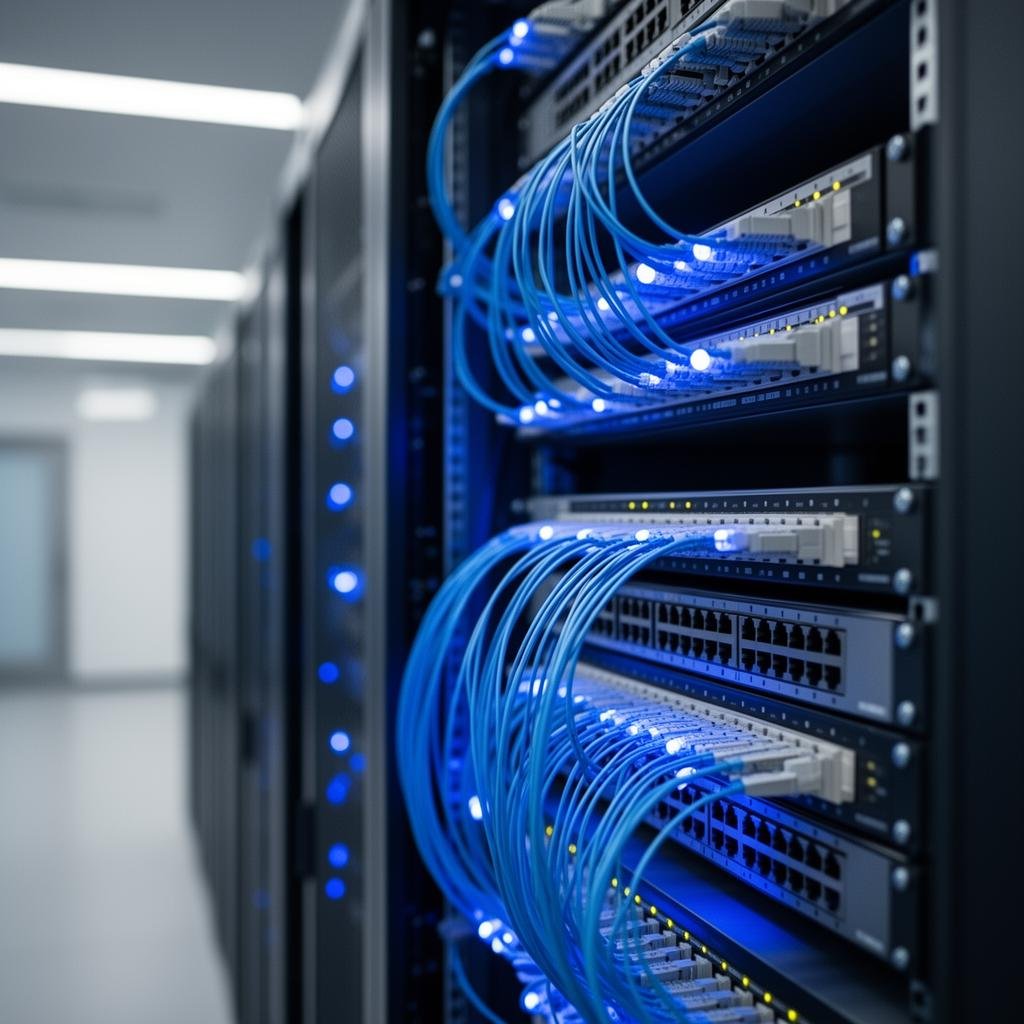
  • Server room setup, rack dressing & rack redressing
  • Network diagrams, rack elevation & as-built documentation
  • Layer 2/3 switching, VLANs & IP planning
  • Campus Wi-Fi survey, AP placement & signal checks
  • Firewalls, WAN failover, NAT, port forwarding & VPN

Ideal for

  • Corporate offices
  • Schools & campuses
  • Hospitals & hotels
  • R&D labs
  • Server rooms
  • Multi-floor buildings

Brand partners

CiscoArubaRuckusUbiquitiD-LinkSchneider

Buying clarity

Questions worth answering before a quotation.

What business work must the network protect: billing, CCTV, ERP, cloud apps, voice, guest Wi-Fi, student access or remote users?

How many wired, wireless and roaming users must the network support during peak load?

Which areas need campus-wide Wi-Fi, guest access, staff VLANs, restricted networks or outdoor coverage?

Is the server room, rack, UPS, earthing and cooling ready for current load and future switch/firewall growth?

Do you need firewall policy, NAT/port-forwarding, VPN, WAN failover or secure remote access?

Who will receive network diagrams, rack labels, IP/VLAN plans and admin handover after commissioning?

Site survey

What we check before design starts.

A good survey keeps the final BOQ grounded in your actual site instead of a generic product list.

  • Requirement capture by users, devices, applications, risk areas and future expansion
  • Physical site verification against drawings, floor plans and actual wall/partition conditions
  • Server room location, rack condition, UPS availability, earthing, airflow and service access
  • Cable routes, risers, trays, shafts, conduit capacity and practical maintenance paths
  • Wi-Fi dead zones, wall density, AP mounting points, roaming areas and signal behaviour
  • ISP handoff, firewall location, WAN redundancy, NAT/port-forwarding and VPN requirements
  • Existing rack dressing, patch-panel condition, switch layout, cable labelling and documentation gaps

Delivery method

How the work moves from brief to handover.

Step 1

Site survey

We map existing infrastructure, user flow, risk points, cable paths and future expansion needs before recommending hardware.

Step 2

Design and BOQ

You receive a practical design, itemised BOQ and clear scope boundaries so purchase and execution decisions are easier.

Step 3

Installation and testing

Our team installs, labels, tests and tunes the system on site, then resolves snags before handover.

Step 4

Training and support

We train your team on daily use, escalation and basic checks, then support the system through AMC or call-based service.

Technical depth

Where our networking work becomes visibly different.

These are the practical engineering layers that make the final installation serviceable, secure and easier to expand.

Server room setup and rack redressing

We treat the server room as the serviceable heart of the network. Clean rack dressing is not cosmetic; it reduces downtime, speeds fault tracing and makes future expansion safer.

  • Rack planning, rack elevation and switch/firewall/UPS placement
  • Patch panel organisation, cable dressing and port labelling
  • Server rack redressing for messy or undocumented networks
  • Power, UPS, airflow, earthing and service-access readiness

Network diagrams and documentation

We convert site reality into drawings and handover documents so the customer is not dependent on memory or one technician after commissioning.

  • Network architecture and topology diagrams
  • Rack elevation, patching schedule and cable route notes
  • IP plan, VLAN plan, SSID plan and firewall/VPN summary
  • As-built documentation after installation and testing

Campus Wi-Fi and signal planning

For campuses, offices, schools, hotels and hospitals, Wi-Fi must be planned from coverage, capacity and roaming behaviour, not access-point count alone.

  • Floor-plan review with physical verification
  • AP placement, signal checks, dead-zone correction and roaming planning
  • Guest, staff, student and management SSID separation
  • Controller/cloud-managed AP planning for long-term administration

Firewalls, VPN and secure access

We plan firewall rules from the business requirement first: what should be reachable, what must stay isolated and how remote access should be secured.

  • Firewall deployment, WAN failover and load-balancing planning
  • VLAN segmentation for staff, guests, servers, CCTV and management
  • Site-to-site VPN, remote-user VPN and controlled NAT/port-forwarding
  • Policy documentation and admin handover for IT/security teams

Case-study direction

Proof points clients can relate to.

Campus-wide Wi-Fi with roaming discipline

Multi-building Wi-Fi planned from drawings, physical verification, AP placement, signal behaviour and separate user networks.

Cleaner coverage, fewer dead zones and more predictable roaming for staff, guests and students.

Server-room redressing and rack documentation

Messy rack converted into labelled patch panels, dressed cables, mapped switch ports and usable handover notes.

Faster troubleshooting, safer expansion and a server room the customer can actually maintain.

Firewall, VLAN and VPN access upgrade

Flat network redesigned with firewall rules, VLAN separation, remote-user VPN and controlled NAT/port-forwarding only where justified.

Better security posture without making daily access difficult for authorised users.

View case studies

Handover

What you receive after commissioning.

  • Network architecture diagram and as-built notes
  • Rack elevation, port labelling and patching schedule
  • Cable test reports and cable route notes
  • IP/VLAN plan, DHCP/static allocation notes and firewall/VPN summary
  • Wi-Fi SSID, access policy, AP placement and admin handover sheet

AMC support

How we keep the system healthy.

  • Periodic rack health, dressing and cable-label review
  • Switch, firewall and access point configuration backup
  • Wi-Fi performance, signal and roaming review after layout changes
  • VPN, WAN failover and firewall-policy support
  • Emergency fault support for critical network outages

Avoidable mistakes

Where projects usually go wrong.

  • Buying access points before site verification and signal planning
  • Treating server-room dressing as cosmetic instead of operationally critical
  • Skipping rack labels, cable test reports and as-built documentation
  • Running guest, CCTV, server and business traffic on one flat network
  • Using casual port forwarding where VPN or firewall policy is the safer design